One photo in, a 14 second AI music video out
I Wanna Love You AI Pet Video Generator
@yourpet
A dog
The original song
Videos cost from 4 credits. A failed render is refunded.
Upload one photo of your pet or yourself and get the viral selfie serenade: a close lip-sync, a full backbend belt up into the lens, a sly look and a wave, to the original song, in the place where your photo was taken. No prompts, no editing.
- One photo of your pet or you, no prompt needed
- 14 second vertical video with sound
- From $6.99, no subscription
A dog
A cat
A person
A cat in costume
Make your I Wanna Love You video
Add one photo of your pet or yourself, pick a quality and see the price before you generate.
JPG, PNG or WebP, each side over 300 pixels. Large photos are shrunk for you. One subject, facing the camera, face clearly visible. Cats, dogs and other pets work too.
Quality
Worth about $4.70-$6.99 USD in credits, depending on the pack you buy. See pricing
- Pay once, no subscription. Credits never expire.
- A failed render gives your credits back automatically.
- A pack can be refunded in full only while none of its credits are used.
- 14 second MP4, ready in about 4 minutes. You sign in only when you generate.
14 second video with sound
Sample clip. Your video starts from your own photo, so it will not match this one exactly.
An AI video with the original song. Your pet or you film a selfie in the place where your photo was taken, lip-sync the song up close, lift the camera and lean all the way back to belt the chorus into the lens, then swing back up and wave.
I Wanna Love You AI video examples
Each video below started from a single photo and needed no prompt. Each was picked from a few renders made with the same settings as the generator, at the quality and credit cost shown, and results vary with the photo, so yours will not match these exactly.
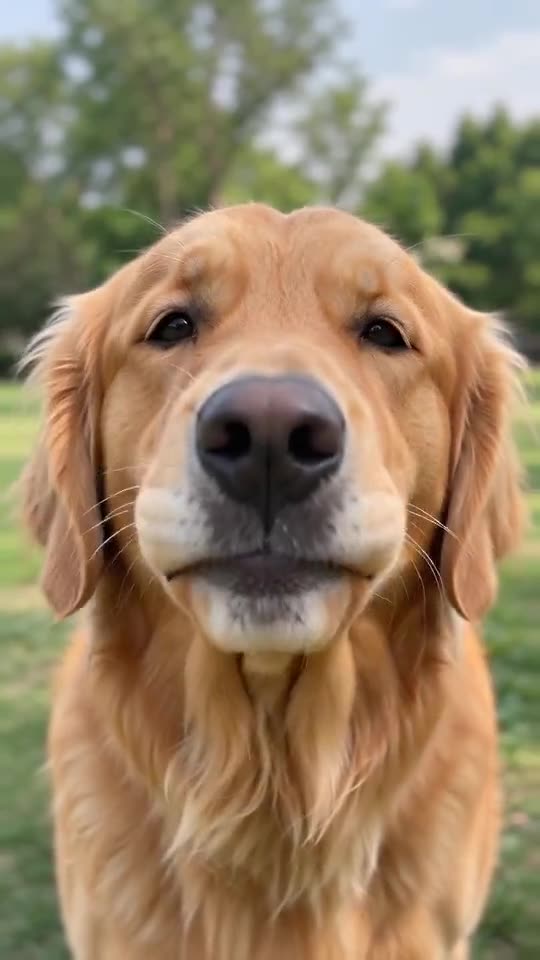
A dog
A golden retriever films a selfie in a park, sings up close to the camera, lifts it, leans all the way back to belt into the lens and finishes with a smile.
14 seconds at 720p. 10 credits, about $4.70-$6.99 USD.
AI-generated video.
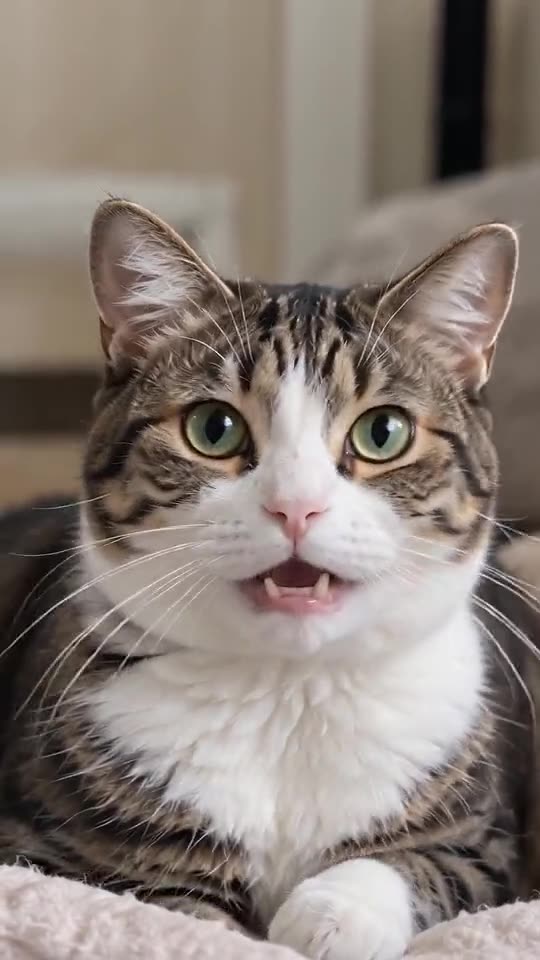
A cat
A cat films a selfie where its photo was taken, sings up close to the camera, lifts it, leans all the way back to belt into the lens and waves.
14 seconds at 720p. 10 credits, about $4.70-$6.99 USD.
AI-generated video.
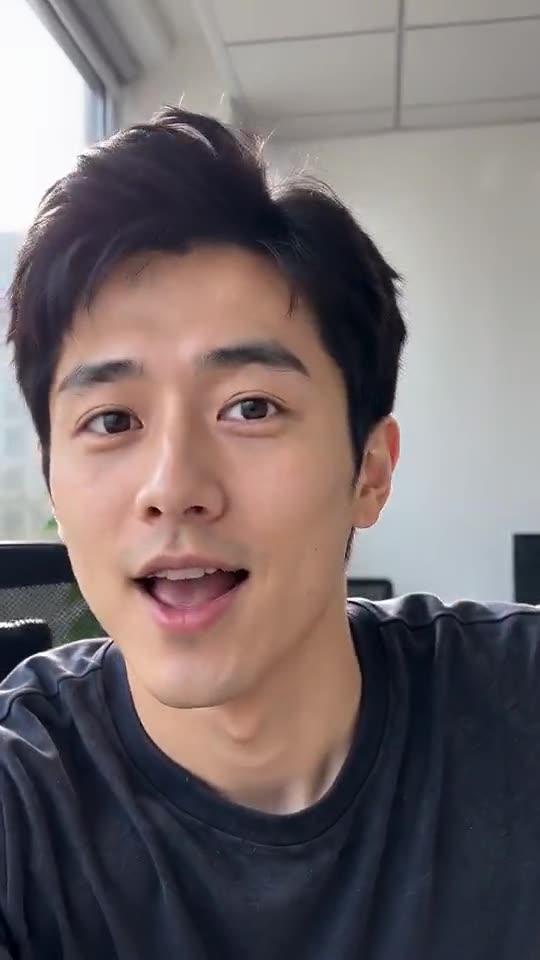
A person
A man films a selfie where his photo was taken, sings up close to the camera, lifts it, leans all the way back to belt into the lens and waves.
14 seconds at 480p. 4 credits, about $1.88-$2.80 USD.
AI-generated video.
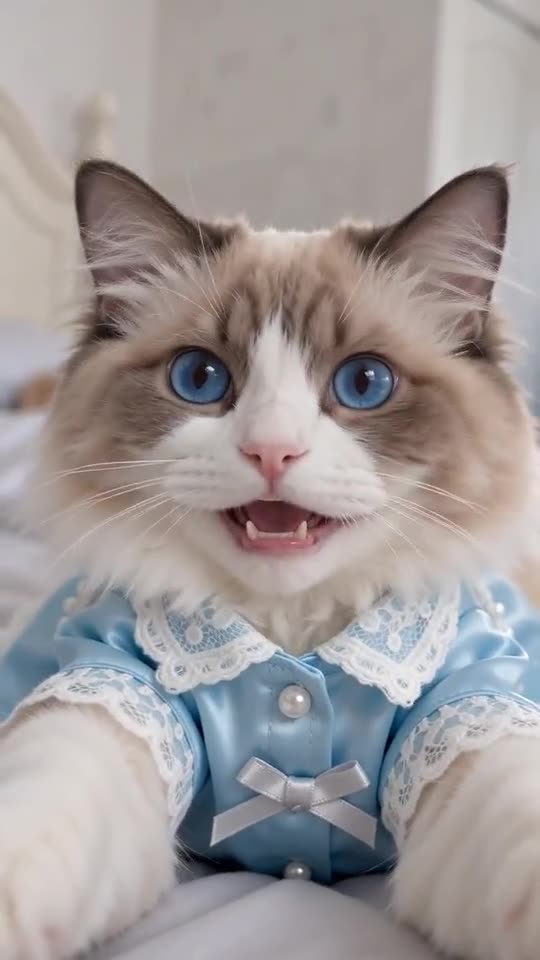
A cat in costume
A ragdoll cat in a blue satin shirt, from a photo made with AI, films a selfie on a bed, sings up close to the camera, lifts it, leans all the way back to belt into the lens and waves.
14 seconds at 720p. 10 credits, about $4.70-$6.99 USD.
AI-generated video.
How to make an I Wanna Love You AI pet video
Add one clear photo
Pick a clear, front-facing, well-lit photo of your pet or yourself with the whole face visible, somewhere you would film a selfie. The background of the photo becomes the set.
Choose a quality
Pick 720p for a sharper video, or 480p for less than half the credits. The selfie serenade and the original song are already built in, so there is nothing to write.
Generate and download
Your 14 second video with sound is ready in about three to four minutes. Download the MP4 and post it on TikTok, Reels or Shorts.
What is an I Wanna Love You AI video?
An I Wanna Love You AI video is a short selfie lip-sync: someone films themselves singing straight into the front camera, lifts it higher and higher while bending all the way back to belt the chorus up into the lens, then swings back up and waves. The over-the-top commitment is the joke, and it is funnier on a dog.
This tool makes one from a single ordinary photo. You pick a quality, and the AI generates a brand-new 14 second video around your pet or your face, set in the place where your photo was taken and played to the original song. There is no prompt to write and no clip to edit.
The format spread on TikTok and Instagram as a meme. This is an independent tool and is not affiliated with any recording artist, record label, TikTok, CapCut, ByteDance or the creator of the original clip. The song itself remains subject to the rights of its owners.
Quick facts
- Input
- One photo of a pet, yourself or an adult who agreed. Reference videos and prompts are not supported.
- Output
- A 14 second vertical MP4 (9:16) with sound, at 480p or 720p.
- Price
- Packs from $6.99. A 14 second video uses 4 credits at 480p or 10 credits at 720p; the recommended 720p video uses 10. No subscription.
- Time
- About 4 minutes for the recommended 14 second video, and from 3 to 4 minutes depending on quality.
- Refunds
- A failed render returns its credits automatically. A credit pack can be refunded in full within 7 days if none of its credits were used.
- Privacy
- Photos are deleted after 7 days and videos after 30 days. They are not used to train AI models.
Pay per video. No subscription.
Buy a pack once and use it whenever you like. Credits never expire.
10 credits
$6.99
from $2.80 per 14 second video in 480p$6.99 per 14 second video in 720p
Enough for 1 video of 14 seconds in 720p, or up to 2 videos of 14 seconds in 480p
- 14 second video with sound
- No watermark
- Automatic refund if a render fails
- Credits never expire
- Most popular
30 credits
$17.99$20.97
from $2.40 per 14 second video in 480p$6.00 per 14 second video in 720p · save 14%
Enough for 3 videos of 14 seconds in 720p, or up to 7 videos of 14 seconds in 480p
- 14 second video with sound
- No watermark
- Automatic refund if a render fails
- Credits never expire
100 credits
$46.99$69.90
from $1.88 per 14 second video in 480p$4.70 per 14 second video in 720p · save 33%
Enough for 10 videos of 14 seconds in 720p, or up to 25 videos of 14 seconds in 480p
- 14 second video with sound
- No watermark
- Automatic refund if a render fails
- Credits never expire
Credits and price by quality
| Length | 480p, lower detail | 720p, sharper |
|---|---|---|
| 14 seconds | 4 credits, $1.88-$2.80 about 3 min | 10 credits, $4.70-$6.99 about 4 min |
The dollar range is what those credits cost depending on the pack you buy: lowest with the largest pack, highest with the smallest. All videos have sound. 480p shows less fine detail than 720p, so faces and fur look softer.
A video costs 4 credits (14 seconds, 480p) or 10 credits (14 seconds, 720p). Packs are one-time purchases in US dollars (USD). A failed render is refunded to your balance automatically. A pack can be refunded in full within 7 days only if none of its credits have been used.
Who stars in an I Wanna Love You AI video?
The straighter the face, the funnier it gets. Pets, you, or an adult who said yes.
- Your dog
- The most serious serenade in the world, sung by the goodest boy or girl. Pick a photo where the eyes and nose are easy to see.
- Your cat
- A cat filming its own selfie, giving the camera a long, unimpressed stare before the big lean back. It does not get better than this.
- Other pets
- Rabbits, hamsters, birds and more can work if the face is clear and fills a good part of the photo. Results vary by animal.
- You, or a friend who agreed
- The classic version: your own selfie, turned into the full serenade and backbend. Adults who agreed only, and never a celebrity.
Photos that work best
- Use one subject per photo, facing the camera, with the whole face visible. For pets, show the eyes, nose and markings.
- Pick good, even light and a sharp photo. Soft focus and harsh shadows make the AI guess.
- Skip sunglasses, masks, heavy filters and hands over the face. Selfies and portraits work well; group shots and far-away photos do not.
- Choose a background you like, because it becomes the set. A kitchen, a garden or a sofa all work. Leave a little room around the head so the camera lift and the lean have space.
What you can do with your video
Download the MP4 and post it on TikTok, Instagram Reels or YouTube Shorts. The video is vertical 9:16. It is for personal, non-commercial use, and should be labelled as AI generated when you share it.
Only use photos of yourself, your pet or adults who agreed. Photos of minors, celebrities and other public figures are not allowed. Read the Acceptable Use.
How to post your video
Post it vertical
The video is 9:16, so it fills the screen on TikTok, Reels and Shorts. Post it as it is, without cropping.
Name the trend in the caption
Use the words people search for, such as I wanna love you AI, AI pet video or singing pet, so they can find yours.
Tag the star
Tag your pet account, or the friend in the video, as long as they said yes.
Mark it as AI-made
Switch on the AI-generated label that TikTok, Instagram and YouTube offer before you post.
Questions about the video
What is an I Wanna Love You AI pet video?
It is a short AI clip where a photo of your pet, or of you, becomes the viral selfie lip-sync: the subject sings the original song up close to the front camera, lifts it higher while bending all the way back to belt the chorus into the lens, gives a sly look and waves. It follows a meme format that spread on TikTok and Instagram.
How do I make an I Wanna Love You AI video with my pet?
Upload one clear photo of your pet, confirm you have permission to use it, pick 480p or 720p and press Generate. You sign in and pay only when you generate. The video is ready in about three to four minutes and you download it as an MP4.
How much does it cost?
You buy credits: 10 credits for $6.99, 30 credits for $17.99 or 100 credits for $46.99. A 14 second video costs 4 credits at 480p or 10 credits at 720p. So 10 credits make one 720p video or two 480p videos. It is a one-time purchase, not a subscription, and credits never expire.
Is there a free I Wanna Love You AI pet generator?
No. Every video uses real GPU time, so videos are paid with credits. If a video fails to render, the credits are returned automatically.
How long is the video and how long does it take?
Videos are 14 seconds long, vertical 9:16, at 480p or 720p. A 480p video usually takes about three minutes and a 720p video about four, depending on how busy the queue is. You can close the tab, and the finished video waits in My videos.
Can I use a cat, a dog or another pet?
Yes. Cats and dogs work best, and other pets such as rabbits or birds can work if the face is clear. Animal faces and bodies move differently from human ones, so a pet video can look funnier, and sometimes stranger, than a person video.
Which photos work best?
One subject per photo, facing the camera, with the whole face visible and good light. Each side must be a little over 300 pixels. For pets, show the eyes, nose and markings. Avoid sunglasses, masks, heavy filters, motion blur and extreme angles.
Can I use someone else's photo?
Only use photos of yourself, your own pet or adults who agreed to be in the video. Photos of minors, celebrities and other public figures are not allowed. You confirm this before every render. The full list is in the Acceptable Use Policy.
Does the video have sound, and does my pet really sing?
Yes. Every video plays the original song, which remains subject to the rights of its owners, and the AI animates the mouth to follow it line by line. Animal mouths and bodies move differently from human ones, so a pet video can look funnier, and sometimes stranger, than a person video.
Will it look exactly like my pet?
It is made to look like them, but AI is not exact. Faces, fur and markings follow your photo closely, small differences are normal, and a clear, well-lit photo gives the best match. Review the result before you post it, and try again with a better photo if needed.
Can I post it on TikTok, Reels or Shorts?
Yes, for personal, non-commercial use. The video is vertical 9:16, made for those platforms. Label it as AI generated when you share it. The song is copyrighted music: a platform may mute, claim or remove a video that contains it, and you are responsible for following the platform's rules and the terms of the rights holders.
What if my video fails?
If a render fails or the photo is rejected by the AI safety filter, the credits for that video go back to your balance automatically.
Is this an official app?
No. This site is an independent AI video tool. It is not affiliated with any recording artist, record label, TikTok, CapCut, ByteDance or the creator of the original viral video.
How long do you keep my photos and videos?
Uploaded photos are deleted automatically after 7 days and finished videos after 30 days. Your photos are sent to our AI video provider only to make your video, and we do not use them to train AI models. Download your video before it expires.
Can I upload a reference video, or change the song or the scene?
No. It works from one photo and a fixed, tested template. You choose the photo and the quality, but you cannot upload a reference video or change the shots, the song or their timing.
Can I use the video commercially?
The videos are for personal, non-commercial use, such as sharing with friends or posting on your own social accounts. Label them as AI generated when you share them. The song in a video is third-party material that remains subject to the rights of its owners, so commercial use of a video that contains it is not allowed.
Are failed renders refunded as money?
A failed render returns its credits to your balance automatically, so you can try again. Credits are not cash. A credit pack can be refunded in full within 7 days of purchase if none of its credits have been used. See the Refund Policy for how to ask.